Brain sells cyber and AI security awareness solutions, fully online. With your consent, measurement cookies show us the pages and products you visit: only to understand your needs, improve the site and give you better advice. No data resale, no advertising.
You help us give you better advice
The site works exactly the same
What we actually do
If you accept: we measure your journey on the site (pages viewed, products opened, path taken), via our in-house tool, Google Analytics and HubSpot, to understand what you are looking for and answer you better.
What we never do: sell your data, track you across other sites, show targeted advertising.
Either way: your choice, the language and the sound setting stay in your browser (local storage, never transmitted).
If you book a time: scheduling opens at HubSpot, which manages its own cookies on its page.
The phishing simulator that trains your teams on real attacks, from the fake email to the booby-trapped QR code, in a controlled setting that never captures a password.
A ready-to-use catalog
Over 1,300 scenarios sorted into around twenty pretext families, filtered by your company profile.
Today’s attacks
The fake email, but also the booby-trapped QR code, the fraudulent attachment and the fake verification page.
A controlled setting
Signed mandate, verified domain, test send to yourself, and never any password captured.
The debrief that matters
Who clicked, who reported, reporting rate: the measure that moves your teams forward.
The fully customizable cyber competition: custom game flow, boss fights and a public leaderboard.
Through a simple link (or QR code). They pick a nickname and play, no account creation, and in arcade mode, even the nickname becomes optional.
The game flow (which formats, how many questions, where the bosses go), the number of lives, the run duration, the scoring mode, and even your own question bank through Content Studio.
Yes: the skills map shows where each team is progressing, theme by theme, with export. SAML SSO connects your company directory.
The security awareness arcade cabinet. Configured online, delivered turnkey.
No. The cabinet runs on its own: attract mode, free-play game, and a leaderboard that keeps the competition going.
In the online 3D configurator: pick a preset or compose your faces (text, logo, images), share your configuration with a link (with a designer if needed), then order.
The 4G router + SIM option (1 year included) makes the cabinet fully independent from the site’s network.
Volume discounts apply: 10% off from 3 to 9 cabinets, 20% off from 10 cabinets. Get in touch and we’ll put together a tailored quote.
The fully configurable reflex competition: timed mini-games, cyber, AI or mixed universes, arcade mode.
Cyber Cup is a knowledge arcade quiz; Super Challenge tests reflexes against the clock, with lives. Both share the same engine and launch from a link.
Spotting generated content, catching a deepfake, judging a prompt, checking a source: the everyday AI reflexes. The mixed universe combines cyber and AI.
Yes: depending on the setting (1, 3 or 5 lives), every mistake costs one. That’s what keeps the competition tense.
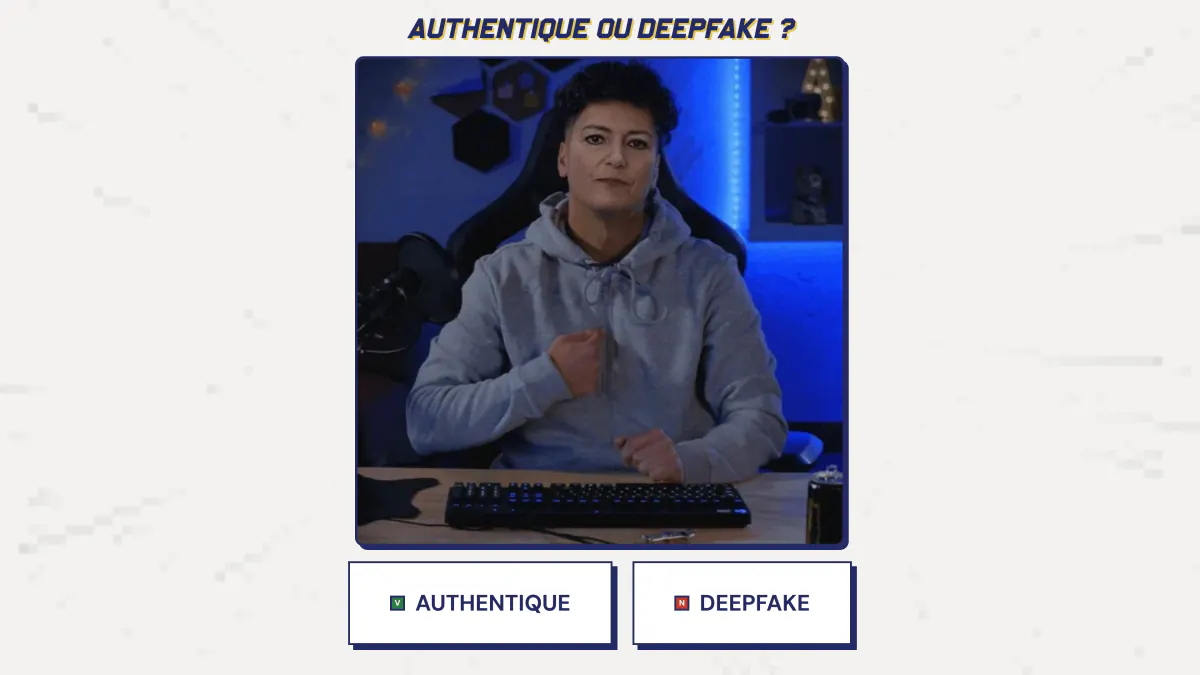
The deepfake photobooth: allow your webcam, watch an AI transform you live, and never look at an image the same way again.
No. The feed is processed in real time and nothing is recorded or kept. Captures carry an “AI-generated” watermark.
No: open the link, allow your webcam, see yourself transformed. The session is deliberately short.
To make people live the deepfake instead of explaining it: once you have watched your own face lie on screen, you never look at a video call the same way.
The phishing simulator that trains your teams on real attacks, from the fake email to the booby-trapped QR code, in a controlled setting that never captures a password.
No: Super Phisher is an awareness tool. No password is captured, every campaign requires a signed mandate and a verified domain, and you can send the lure to yourself before any launch.
The fake email, but also the booby-trapped QR code, the fraudulent attachment and the fake verification page. Each recipient gets a scenario matched to their language.
The debrief shows who clicked and above all who reported the attack, with your teams’ reporting rate, campaign by campaign.
The narrative game that teaches cybersecurity through play: ten chapters, a level map, with nothing to install.
No: the game plays directly in the browser, with nothing to install and no account to create. An email is enough to get started.
Ten chapters, from how the brain handles risk to malware, by way of passwords, the man-in-the-middle, social engineering and phishing.
Yes, in French and English, chosen right when you enter the game.
Compare
Annual e-learning, phishing simulation, one-off workshops, games: four ways to raise awareness in your teams, what each one brings and what Brain adds.
Criterion
Annual e-learning
Phishing simulation
One-off workshop
Brain
Format
An online module to complete, often once a year, hosted on the LMS.
Simulated phishing emails sent to inboxes, with a training page for those who click.
A workshop, a talk or an escape game, in person or remote.
A collection of small tools: competitions, mini-games, messaging bot, learning path, encyclopedia, arcade kiosks.
What the employee experiences
They go through the module to the end and pass a quiz.
They receive a simulated phishing email and practice spotting and reporting it; if they click, they see a short reminder right away.
They take part in a group session led by a speaker.
They play for one minute or five, compare themselves with colleagues on a leaderboard and come back.
A quote, a date, a room or a video call, a speaker.
A free self-service account, a link or a QR code to share. Zero install.
Rhythm
One campaign a year, sometimes quarterly.
Waves of emails through the year.
One or two highlights a year.
Highlights (cybersecurity awareness month, AI Spring, trade show) and a year-round thread, in small doses.
What you measure
Completion rate and quiz scores.
Click rate and reporting rate.
Attendance and on-the-spot satisfaction.
Participation, progress and completion, with exports provided by default.
Topics
The chosen catalog program, mostly cyber.
Phishing and its variants.
The topic of the session.
Cyber and AI, enabled separately.
Employee data
A named account per learner.
Email addresses and each campaign’s results (clicks, reports), by name or aggregated depending on settings.
An attendance sheet.
In competitions and on kiosks, no player account: a nickname and a score.
Pricing model
Most often a license per user per year.
Most often a license per user per year as well.
A quote per session.
Public prices: free to test, credit packs paid per participation, unlimited annual plan on quote.
On site
Rarely: the module is taken online, on a computer or phone.
Not usually: it happens in the inbox, sometimes via text message or QR code.
Yes, that is its home ground.
Yes: a real arcade kiosk in the lobby, on top of online play.
A complement, not a replacement
Brain replaces neither the mandatory module nor your phishing simulations: it adds what they are not designed to do (highlights, competition, on-site presence) and gives you the record of a living program.
Each Brain tool can be used on its own. The Brain Platform brings them together in a single cybersecurity and AI awareness program: the program owner sets a goal, each employee takes part in the format that suits them, and a training record keeps track of participation. It is not self-service: there is no account to create online; we set it up with you after a conversation with our team.
No. The mandatory module remains useful for compliance. Brain comes on top: highlights, competition and on-site presence to create engagement, with participation, progress and completion exports to keep the record.
Yes. Products open for signup can be tried in self-service, with a free account and no credit card, and prices are public. Some products are already deployed with customers and are available by appointment: we set them up with you after a conversation with our team. A call is also needed for the Brain Platform, a kiosk, an unlimited subscription or a specific need.
Pricing
Public prices, excluding VAT, with no quote needed for most of it: you choose a volume, you pay, you launch. Products open for signup are tried free first, with no credit card.
Getting started: free
A free account, no credit card, with the admin console, which uses no credits. Cyber Cup and Super Challenge include five free test accesses, the Brain Arcade configurator can be tried with the same account, and Super CISO Destroyer and Deepfake Studio are free to play, with no account. For the other products, each catalog page says how to get access.
Cyber Cup and Super Challenge: credit packs
One credit is one run for one participant. It is used at the participant’s first actual login: if they log in again or finish later, it is still one credit. A new run or a new edition uses a new credit.
Pack
Price excl. VAT
Discount
250 credits
€450
baseline
500 credits
€750
-17%
1,000 credits
€1,200
-33%
2,000 credits
€1,900
-47%
5,000 credits
€3,000
-67%
10,000 credits
€4,200
-77%
Valid 12 months from purchase, usable on Cyber Cup and Super Challenge alike, with the balance shown in real time in the console.
No subscription, no renewal: when the credits run out, you decide whether to buy more.
Above 10,000 credits, pricing is on quote.
Unlimited annual subscription: on quote
Unlimited runs on Cyber Cup and Super Challenge, for the whole organization, all year round. The price is set in a meeting based on the number of users, the scope and the commitment length. 12-month firm term, tacit renewal, 2-month notice.
Brain Arcade: an annual license per cabinet
You design the cabinet in 3D, we build it, deliver it and install it. It remains Brain’s property: you pay for its use, not its purchase.
Model
Year 1 (excl. VAT)
Following years (excl. VAT, per year)
Full cabinet (about 181 cm)
€7,000
€3,500
Bartop (compact cabinet)
€5,000
€2,500
Year 1 covers design, custom graphics, manufacturing, delivery and installation in mainland France, the license and maintenance. The following years cover the license, content updates, hosting, support and maintenance.
Unlimited players and runs, with no credits used.
12-month minimum commitment per cabinet, tacit renewal for 12-month periods, cancellable up to 2 months before the term.
Volume discounts: 10% off from 3 to 9 cabinets, 20% from 10. On quote: custom artwork outside the templates, delivery outside mainland France, on-site facilitation.
Events: on quote
Trade show, seminar, cybersecurity awareness month: cabinets for a few days. The price depends on the number of cabinets, the duration, the venue and the logistics. The service is paid in advance, which secures your dates.
Yes, 12 months after purchase, with a reminder 30 days before. Unused credits are lost, which is the counterpart of volume discounts. If Brain fails its obligations or removes a main feature, they are refunded pro rata.
Yes: within 14 days of an online order, as long as no credit was used, no game was opened to participants and no cabinet manufacturing was started.
Credits are paid at order time. Subscriptions are invoiced in advance and payable within 30 days. An event service is paid before the event.
Yes, for an annual subscription, more than 10,000 credits, an event or a multi-entity rollout. The Brain Platform, which brings the tools together in a single awareness program, has no public price: it is not self-service, we set it up with you after a conversation with our team.
Not without Brain’s written agreement: credits belong to the entity that bought them.
Brain collects the cabinet within 30 days, unless you say before the term that you want to continue: nothing changes then, except the price, which moves to the following-years rate.
Level upyour teams on cyber & AI,without putting them to sleep.
Brain is not an annual training people sit through: it is a collection of small tools (mini-games, competitions, a bot, training paths, an encyclopedia) and highlight moments that punctuate the year. Put end to end, they form a platform for a lasting security culture.
How we work
Reflexes all year long, in small doses.
One tool does not change a culture. A collection of tools, played all year and managed in one place, does. And it shows on both sides: the people who play, and the people who run the program.
For employees
Experiences that stick
One minute or five, at a booth or in the messaging apps. People play, compare scores, play again, and the reflexes sink in.
Timed reflex mini-games, cyber or AI topics
Link-based competitions with public leaderboards
On-site arcade cabinets for your highlight events
Micro-lessons in Slack (Teams and Google Chat coming later)
Zero installEverything runs in the browser, from a simple link
No accountOn the player side, a nickname is all it takes
For the security team
Everything managed in one place
You manage all the content from the console, and you pull the numbers without having to ask anyone.
Design, content, customization, localization: everything is editable
Measurement tools included by default, on every platform
Participation, progression and completion exports
Cyber and AI topics can be enabled separately
DORA · NIS2Supports your regulatory obligations
AI Act · Art. 4AI literacy measures mandatory since 2025
Everything that is open can be tried, right now.
01
You open an account
Every product open for signup is self-service: you create your account on the one that interests you, without going through us. For the others, the product page says how to get access.
02
You test, you launch
You try it on one team, then roll it out. Measurement tools come by default in every platform.
03
You want more, we talk
Unlimited, MSP, the Brain Platform, which brings the tools together in a single program, or a need entirely your own: that is the moment to tell us about your needs.
A company with specific needs? Open up every element, customize content and design to your brand, roll out across multiple entities. Tell us about your needs, we build it with you.
Start with the catalog: open products can be tried right away. And as soon as you want to go further, we take it from there with you.
Book a call
Tell us about your needs: we set up a time, or we get back to you.
The most direct
Tell us about your needs
A special request? An awareness program to build, a specific population, context we should factor in? Book a time: we talk it through live, and look together at what fits your need.
Your context: populations, industries, languages, deadlines
The formats that fit: arcade, competitions, training paths
Integrations: Slack, SAML SSO, CSV and Excel exports
30 minutes, no commitment, with a member of the team.
In writing
Rather we get back to you?
Leave us your details and a couple of lines about your need. We get back to you quickly.
By sending this form, you agree that your data will be used to get back to you. Privacy policy · Cookies
Cyber Month 2026The cybersecurity awareness month
Let’s organizeyour cyberawareness month
For cybersecurity awareness month, every company runs its own campaign. Run yours arcade-style: your teams play, the leaderboard updates live, everything gets measured. Start for free, no commitment.
An event ready to launch, played anywhere, with results you can report.
01
A turnkey event
Zero onboarding: you create the competition, the questions are already there, you share one link. Your teams are playing within the minute.
02
Online or on-site, with cabinets
Everyone plays from their phone, wherever they are. Or you install a real arcade cabinet in the lobby for the whole month. The two combine.
03
Results to report
At the end of the month, you show figures, not an impression: participation, leaderboard, progress by topic and exports to present to your leadership team. A record that supports your DORA and NIS2 obligations.
Optional
The Brain Arcade cabinet, on your premises
The same game in cabinet mode: a nickname-only kiosk, with no personal data, in a real arcade cabinet installed at your site for the whole month.
Give them a reason to play rather than one more module: a competition between teams, with a leaderboard that updates live. Everyone plays from their phone, with no account to create on the player side.
Change the format: short, timed arcade-quiz runs, reflex challenges, an arcade cabinet in the lobby. A live leaderboard creates the friendly rivalry that traditional training lacks.
Keep your content and your e-learning, and add a highlight people can play: a tournament during the month, with a final leaderboard. The game comes on top of your mandatory module; it does not replace it.
With figures, not an impression: participation, leaderboard, progress by topic, and exports to present to your leadership team. A record that supports your DORA and NIS2 obligations.
You create the competition, the questions are already there, you share one link: your teams are playing within the minute. For a full program, a 20-minute call is enough to line up the games, the calendar and the communication kit.
No. Everything is played online, from a phone or a computer. The arcade cabinet is an option to make a splash on-site.
Need a hand
We’ll organize your month with you
Would you rather we put together a turnkey program for you? Leave a work email, we’ll get back to you with a plan.
The fastest way
A 20-minute call
We look at your context together and set the month’s highlights.
Every spring, companies take stock of AI: what can be trusted to it, what must be checked, what is no longer taken at face value. Turn it into an arcade season: your teams play, the leaderboard updates live, everything is measured. You start for free, no commitment.
A season ready to launch, played anywhere, that leaves a record.
01
A turnkey AI competition
Create your Super Challenge in the AI universe: deepfakes, prompts, confidential data, sources. The mini-games are already there, you share a single link, your teams play within the minute.
02
AI reflexes all season long
Chat with Jack sends micro-lessons in Slack (Teams and Google Chat coming later). Cyberpedia offers an AI-generated visual encyclopedia to explore at your own pace. The spring lasts, so does the awareness.
03
The AI Act, Article 4
Since 2025, the AI Act has asked companies to take measures that develop the AI literacy of their staff. A season of play contributes to that and leaves a record: participation, progress by topic, exports.
Optional
The Brain Arcade kiosk, in your premises
Super Challenge in kiosk mode: a nickname kiosk, no personal data, in a real arcade kiosk installed at your site for the whole season.
A season of artificial intelligence awareness in the company, modelled on cybersecurity awareness month: a highlight where every employee learns the right reflexes for deepfakes, prompts, confidential data and generated content. Each company picks its own dates in spring.
Three building blocks are enough: a Super Challenge competition in the AI universe launched with a single link, Chat with Jack micro-lessons in your messaging app for the whole season and, for a physical highlight, a Brain Arcade kiosk in the lobby. A free account lets you test everything before deciding.
A competition is created in a few minutes, with no onboarding or purchase order. Allow a 20-minute call with us if you want a turnkey program for the whole season.
Launch a Super Challenge in the AI universe and share it with a single link: your teams practice understanding AI, verifying answers, prompting well and spotting a deepfake. The skills map tracks their progress theme by theme, and the console exports the results as CSV or XLSX. These are all measures you can document under Article 4 of the AI Act, which asks companies to develop the AI literacy of their staff. You can try it first with a free account.
Need a hand
We organize your spring with you
Would you rather we suggest a turnkey program? Leave a business email and we come back with a plan.
The fastest
A 20-minute call
We look at your context together and set the season’s highlights.
Scareware and Fake Browser Alerts: Train Employees to Spot Web Threats
Block scareware and fake browser alerts. Discover how ClickFix exploits human trust, and empower employees to secure their browsers daily.
Published on · ⏱ 6 min
✓ Brain Security · Cyber & Human Risk R&D⚖ NIST CSF 2.0 · CISA · SOC 2 · HIPAA · ISO 27001★ Cyber Cup
Your IT support desk regularly handles this panicked ticket: an employee insists their endpoint is infected with five critical trojans, complete with blaring alarm sirens, official-looking antivirus logos, and a countdown timer threatening immediate data loss unless they dial a toll-free number within two minutes. In nearly every case, the machine has zero host-level malware. The crisis stems from a full-screen webpage, basic scareware, or a rogue browser push notification accepted by mistake days earlier.
For information security leaders, these deceptive warnings cause expensive helpdesk overhead and present a severe initial access vector. Even when payload delivery has not yet occurred, emotional manipulation pushes employees to install remote access trojans (RATs), execute malicious terminal commands, or hand over corporate single sign-on credentials. Defusing this threat requires unpacking modern browser lure architecture and embedding fast, defensive navigation reflexes across the enterprise.
How Do Malicious Browser Security Notification Attacks Work?#
Key Takeaway: Cybercriminals abuse the Web Notifications API to trigger persistent system-style alerts imitating operating systems or EDR agents. Tricked by fake CAPTCHAs or misleading prompts, users grant permissions that flood screens with anxiety-inducing messages driving malware downloads.
Modern scareware operations rely on repurposing legitimate browser standards. Instead of depending exclusively on noisy ad banners, threat actors weaponize the standard Web Notifications API supported across Chrome, Edge, and Safari:
Forced consent deception: When visiting a compromised domain or following a phishing link, users encounter an inline prompt requesting notification permissions. Attackers conceal this permission dialog behind fake human verification gates ("Click Allow to confirm you are not a robot") or simulated video playback errors.
Persistence without host execution: Once granted, the rogue website does not need an active open tab to push content. The browser forwards alerts dispatched by the attacker's server directly to the native OS notification tray, interrupting users while working in spreadsheets or internal portals.
Brand and OS impersonation: These push notifications mirror the visual identity of Windows Defender, enterprise endpoint security software, or native OS alerts. The copy warns of immediate registry corruption, expired licenses, or active spyware to generate high emotional urgency.
Payload conversion: When an employee clicks the prompt to resolve the alert, the browser routes them into a tech support fraud workflow or a credential harvesting portal targeting corporate accounts.
BEFORE / AFTER BENCHMARK · Scareware and Fake Browser Alerts: Train…NIST CSF 2.0 · CISA · SOC 2 · HIPAA · ISO 27001
Operational architecture: Scareware and Fake Browser Alerts: Train Employees to Spot Web Threats (Cyber Cup · Brain Security).
What Are Emerging Web Social Engineering Tactics Like ClickFix?#
Key Takeaway: The ClickFix technique deploys fake browser error screens that convince users to copy and paste PowerShell or terminal commands under the guise of applying a fix, executing malware directly on endpoints while bypassing traditional web filters.
Adversaries continuously adjust social engineering playbooks to bypass inline security gateways. Deception has evolved beyond flashing sirens into convincing, context-aware operational disruptions.
The Display Issue Illusion
In ClickFix campaigns, an employee encounters an authentic-looking error banner mimicking Google Chrome, an expired root certificate alert, or a document rendering failure within Google Docs or Microsoft 365. The interface provides a direct "Fix Issue" button with explicit technical instructions: open the Windows Run dialog (Windows + R), paste the provided snippet, and press Enter.
Bypassing Traditional Defenses
By copying this snippet, the employee unknowingly copies an obfuscated PowerShell command. The user then executes the payload directly under their own authenticated session and permission profile. Because the browser never initiates a standard binary download, legacy web gateways and reputation filters frequently miss the execution. This workflow capitalizes on well-meaning staff who are conditioned to follow technical support instructions without questioning their authenticity.
Risk & Countermeasure Matrix: Scareware and Fake Browser Alerts: Train Employees to Spot Web Threats
Critical Point Identified
Operational Analysis & Mechanism
Guide Section
Forced consent deception
When visiting a compromised domain or following a phishing link, users encounter an inline prompt requesting notification permissions. Attackers…
How Do Malicious Browser Security Notification Attacks Work?
Force close the browser cleanly
Never click "Cancel", "Close", or the native-looking close icons rendered inside the web page itself, as these elements often mask malicious…
What Operational Reflexes Should Security Teams Instill in…
Persistence without host execution
Once granted, the rogue website does not need an active open tab to push content. The browser forwards alerts dispatched by the attacker's server…
How Do Malicious Browser Security Notification Attacks Work?
Audit site permissions
When employees report recurring pop-ups in the bottom-right display corner, walk them through browser settings (Privacy and security, then Site…
What Operational Reflexes Should Security Teams Instill in…
What Operational Reflexes Should Security Teams Instill in Employees?#
Building defensive reflexes against fake browser alerts requires intuitive routines. When an anomalous security prompt appears, a few standard operating behaviors break the attack path:
Force close the browser cleanly: Never click "Cancel", "Close", or the native-looking close icons rendered inside the web page itself, as these elements often mask malicious hyperlinks. Teach users to close the tab using keyboard shortcuts (Ctrl + W on Windows, Cmd + W on Mac) or terminate the process via Task Manager or Activity Monitor.
Audit site permissions: When employees report recurring pop-ups in the bottom-right display corner, walk them through browser settings (Privacy and security, then Site Settings and Notifications) to revoke permissions for unfamiliar domains.
Reinforce browser sandbox limitations: Remind teams that standard external websites have no architectural permissions to scan a local hard drive or detect filesystem malware. Any website claiming to have discovered active viruses on a local endpoint is inherently fraudulent.
Normalize zero-friction incident reporting: Maintain a frictionless reporting channel so staff escalate suspicious browser prompts without fear of negative feedback. Rapid notifications allow SOC analysts to ingest and block malicious infrastructure at the corporate proxy layer before broader exposure occurs.
BRAIN SECURITY PRODUCT IN ACTION · Cyber Cup
In-situ view of Cyber Cup supporting "Scareware and Fake Browser Alerts: Train Employees to Spot Web Threats".Explore Cyber Cup in the catalog →
How Can Organizations Turn Digital Vigilance Into Team Instincts?#
Static awareness emails and mandatory 30-page security manuals fail to prepare users for high-stress browser hijack screens. When confronted with an active countdown timer, human psychology defaults to panic unless defensive behaviors have been practiced in engaging, realistic settings.
Gamified learning provides an effective operational answer. With the Cyber Cup developed by Brain Security, your teams compete in rapid 3-minute arcade-style quiz matches backed by a live leaderboard. Scenarios focus on real web traps, tech support impersonation schemes, and emotional engineering techniques. This approach turns routine compliance into a high-energy experience that builds lasting security instincts.
Ready to strengthen organizational resilience against scareware and advanced web deception? Book a demo with our team to design an engaging security awareness program tailored to your operational environment.
Further reading: related articles and Brain Security solutions#
If you accept: we measure your journey on the site (pages viewed, products opened, path taken), via our in-house tool, Google Analytics and HubSpot, to understand what you are looking for and answer you better.
What we never do: sell your data, track you across other sites, show targeted advertising.
Either way: your choice, the language and the sound setting stay in your browser (local storage, never transmitted).
If you book a time: scheduling opens at HubSpot, which manages its own cookies on its page.